
Body shop estimating software that gets the estimate out in minutes.
Build structured estimates, send them as secure links with saved photos and documents attached, see when the customer looks, capture the decision online, and convert approved work into a repair order.
No credit card needed to start. Cancel any time.
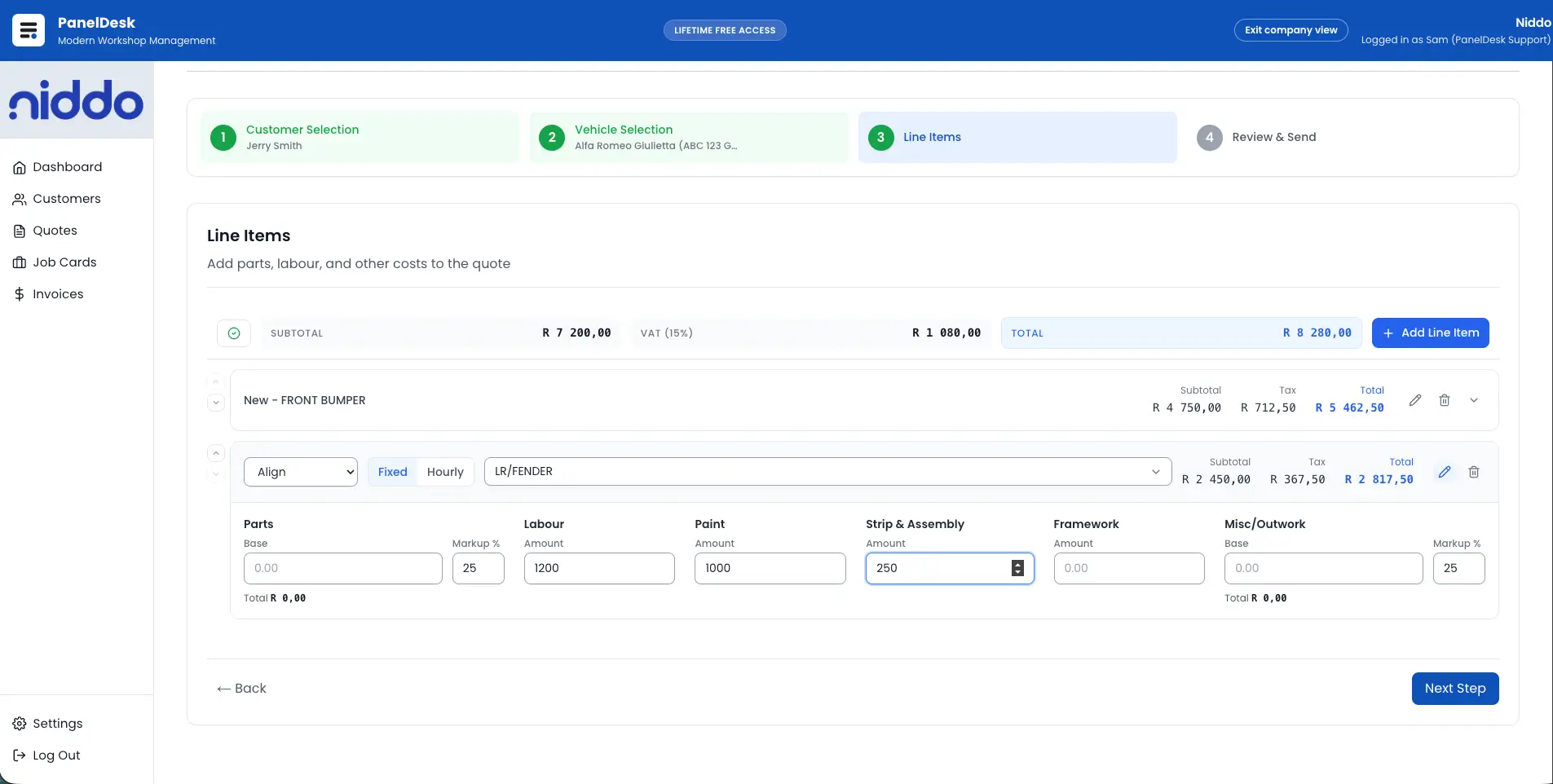
Structured, not scribbled
Estimates build from structured line items for labour, parts, and extras, with autosave, job references, and clear totals as you go.
No more chasing blind
See when an estimate was opened and how often, so follow-ups land at the right moment instead of guessing.
Approved work starts itself
An accepted estimate converts straight into a repair order with the scope carried over — nothing retyped, nothing lost.
Send a link, not an attachment
Estimates go out by email or WhatsApp as a secure, token-protected link, with the photos and documents already saved on the job attached when you need them.
- Attach saved vehicle photos and supporting documents to the estimate email.
- WhatsApp templates fill in customer, vehicle, and quote details, then open ready to send.
- Resend or reset a secure link at any time.
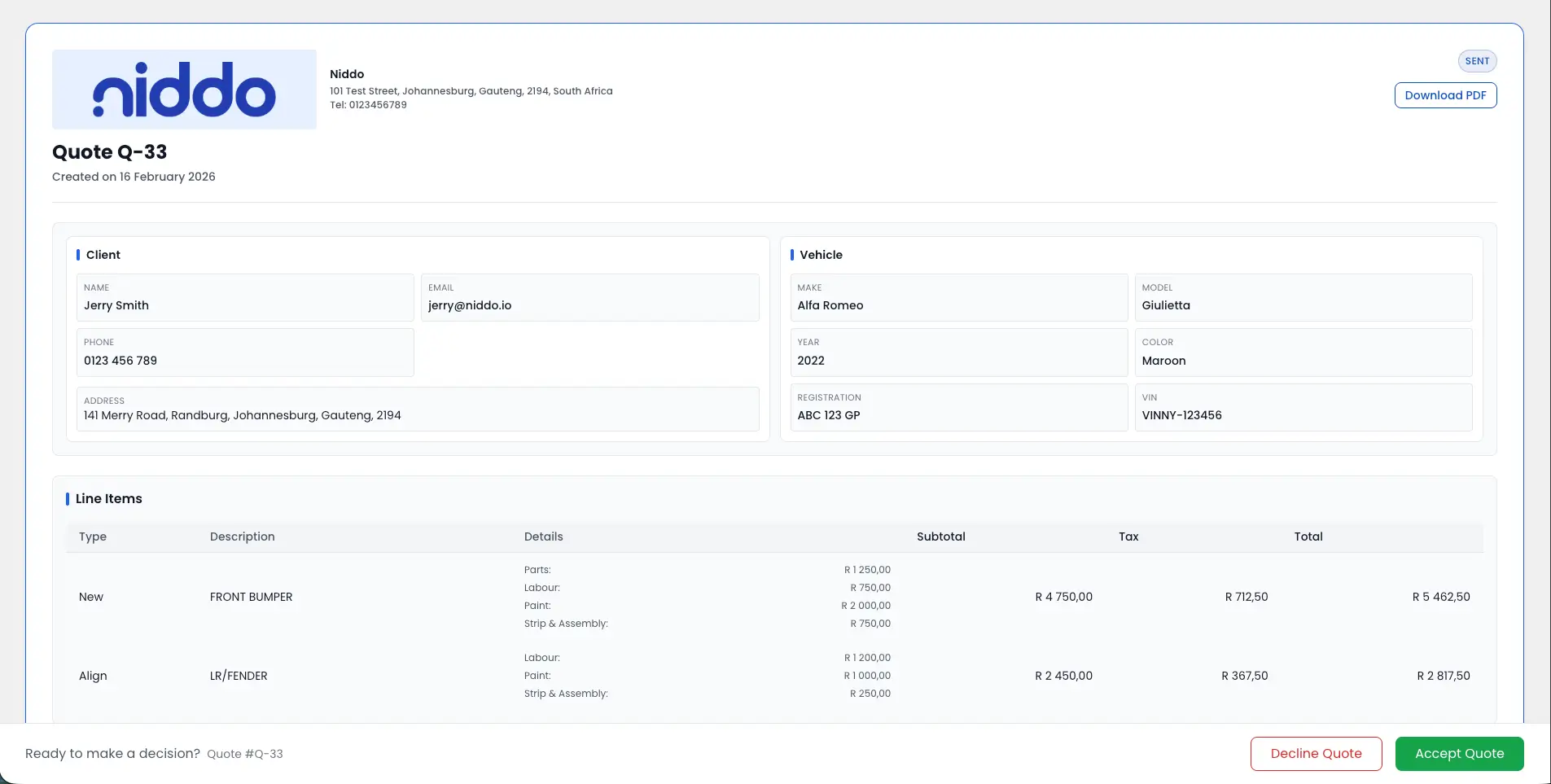
Know when they have looked
Every open is timestamped, so your team follows up with context rather than calling into the dark.
- Get notified when a quote is opened or viewed.
- See timestamped view events on the quote timeline.
- Keep a clean pipeline view of estimates out versus jobs won.
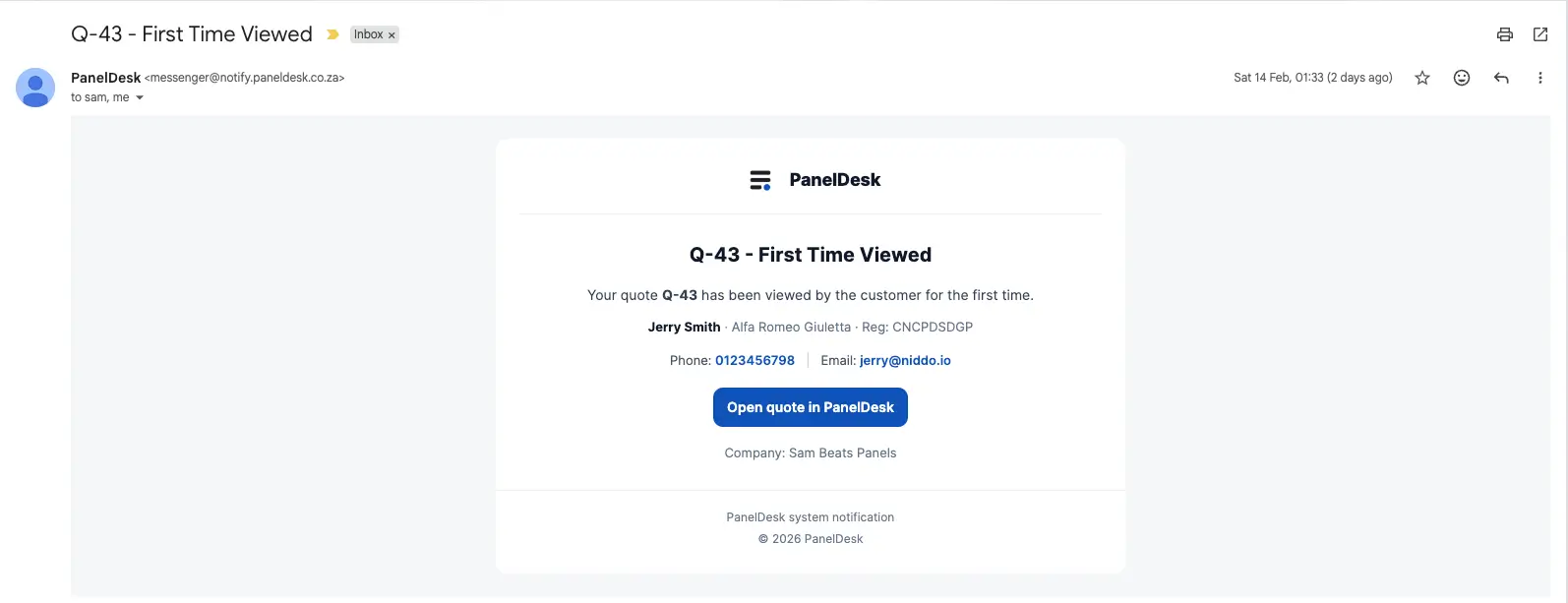
Let the customer decide online
Customers accept or decline from the secure link without an account, and a decline captures the reason so you learn something either way.
- Accept or decline online, no login required.
- Decline reasons captured against the quote.
- Role-based access keeps estimate editing with authorised staff.
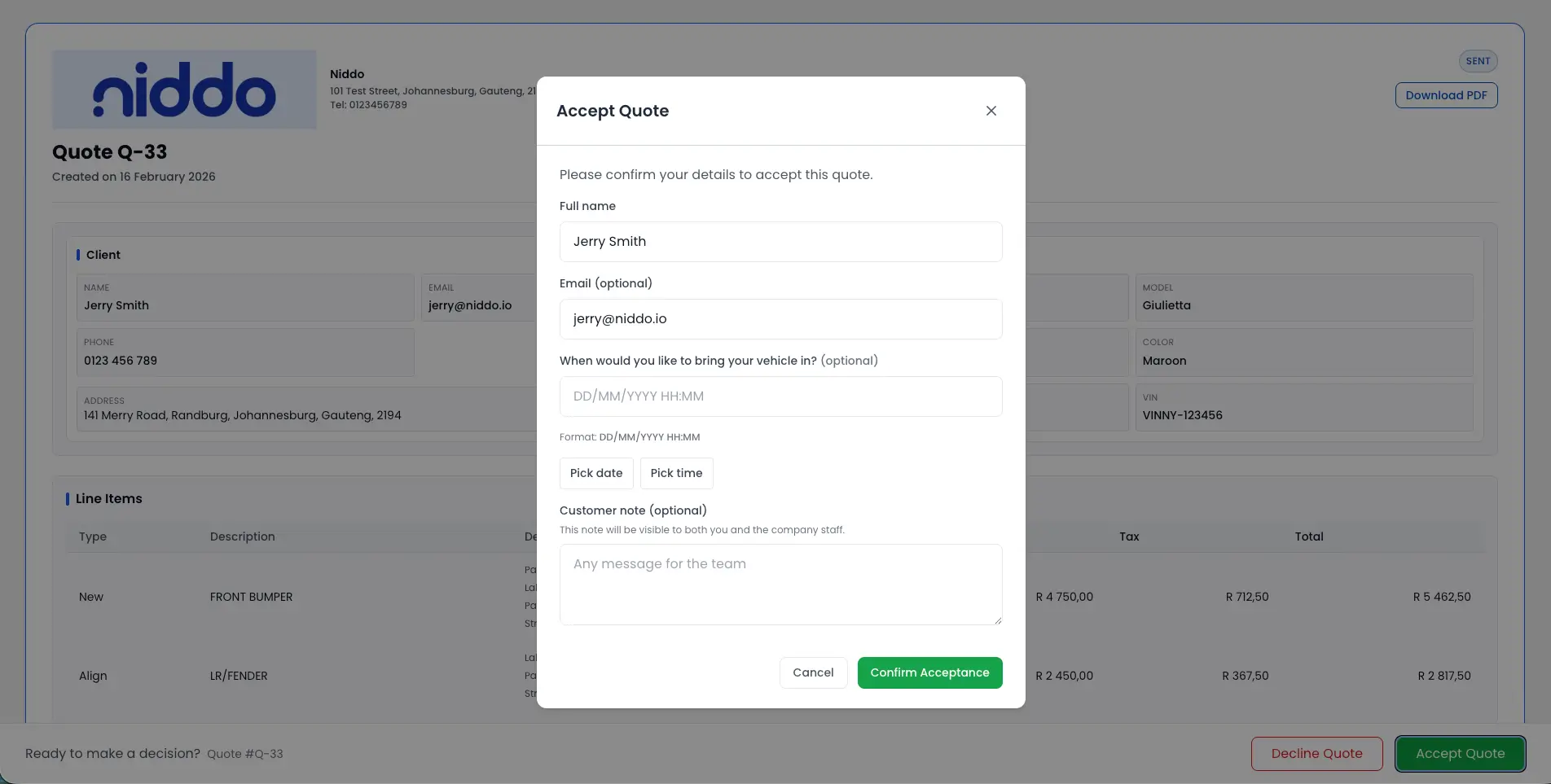
Approved scope becomes the repair order
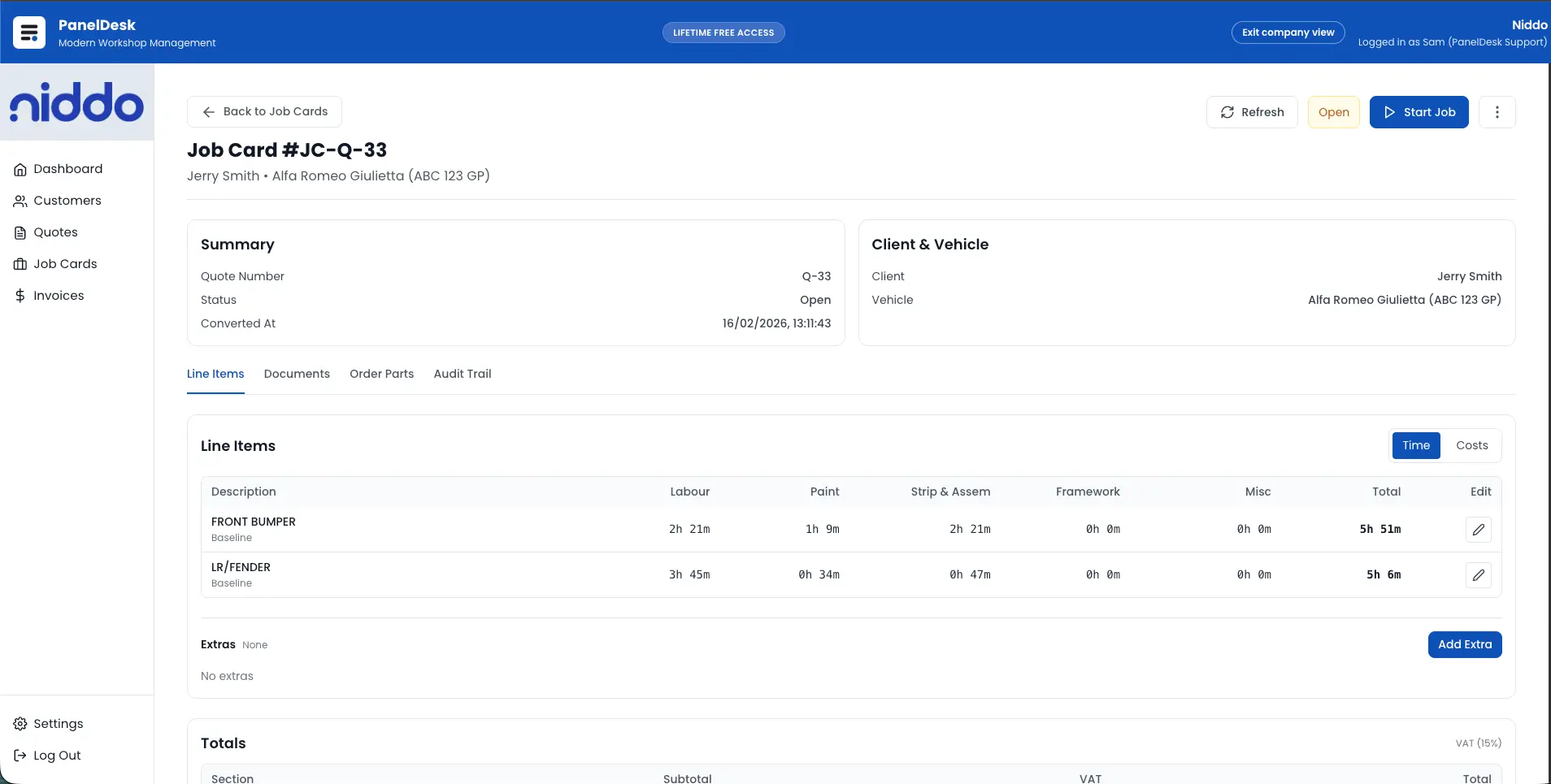
The moment an estimate is accepted it converts into a live repair order, carrying the approved scope, documents, and totals forward.
- Convert accepted quotes into repair orders without retyping.
- Approved scope, linked documents, and totals carry across.
- Job costing and invoicing run on from the same job.
How it runs
From first estimate to approved repair scope
Build and save
A structured estimate with autosave, custom fields, customer and vehicle links, and a complete value breakdown.
Send securely
Email or WhatsApp a tokenised link, with saved supporting files attached, plus resend and link-reset control.
Track and convert
Watch timestamped views, capture the customer decision, and convert accepted work into a repair order.
Document and hand off
Branded quote PDFs, an auditable activity trail, and approved scope pushed into repair order and invoicing.
In detail
Body Shop Estimating Software capabilities
Building the estimate
- Create quotes with structured line items for labour, parts, and extras.
- Add descriptions per line item and keep clear quote totals with labour, parts, and extras breakdown.
- Edit and update quotes without breaking workflow continuity.
- Autosave while editing so work is never lost.
Quote records and status
- Add job references such as purchase order or claim numbers.
- Attach photos and include assessor or insurance fields on the quote.
- Link every quote to a customer profile and vehicle record, with full history.
- Manage quote statuses: draft, sent, viewed, accepted, declined, and converted.
- List, search, and filter quotes across the shop.
Sending to the customer
- Send quotes to customers directly from the system by email.
- Choose saved vehicle photos and documents to attach to the quote email.
- Share secure public quote links using token validation.
- Share quotes over WhatsApp with reusable message templates.
- Resend or reset secure links when required.
- Generate branded quote PDFs for customers and insurers.
Tracking and customer response
- Track created, edited, and sent activity with timestamps.
- Get notified when a quote is opened or viewed.
- Capture timestamped quote view events for follow-up timing.
- Let customers accept quotes online from secure public links.
- Let customers decline online with captured decline reasons.
- Get notified when a quote is accepted or declined.
Permissions and job handover
- Restrict quote creation, editing, and sending with role-based access control.
- Convert accepted quotes into repair orders automatically.
- Carry approved quote details through to the repair order without retyping.
- Handle job costing and invoice generation from the repair order.
Walkthrough
See it in action
FAQ
Body Shop Estimating Software FAQs
The questions body shops ask most often about this part of PanelDesk.
PanelDesk combines fast quote creation, secure customer links, view tracking, online acceptance, and instant quote-to-job-card conversion in one workflow.
Yes. Add job references such as purchase order or claim numbers to any quote. The values carry through to the job card and invoice for that job, and custom customer fields like an account or fleet number can print on documents as well.
Yes. Customers can use secure token-protected links to accept or decline online, and your team can capture decline reasons and approved states.
Yes. When sending a quote from PanelDesk, you can choose photos and supporting documents that are already saved in the system and include them in the email.
Yes. PanelDesk tracks opened and viewed events with timestamps so your team can follow up at the right time.
Yes. Accepted quotes convert directly into job cards with approved scope carried over, reducing admin effort and errors.
Yes. You can generate branded quote PDFs for customers, insurers, and internal documentation.
Yes. Reusable WhatsApp message templates fill in customer, vehicle, and quote details plus the secure link, then WhatsApp opens with the message pre-filled and ready to send. You can also copy the message to use anywhere else.
Next in the workflow
Estimate your next job in PanelDesk
Thirty days free, no credit card, and your first estimate out the door in minutes.